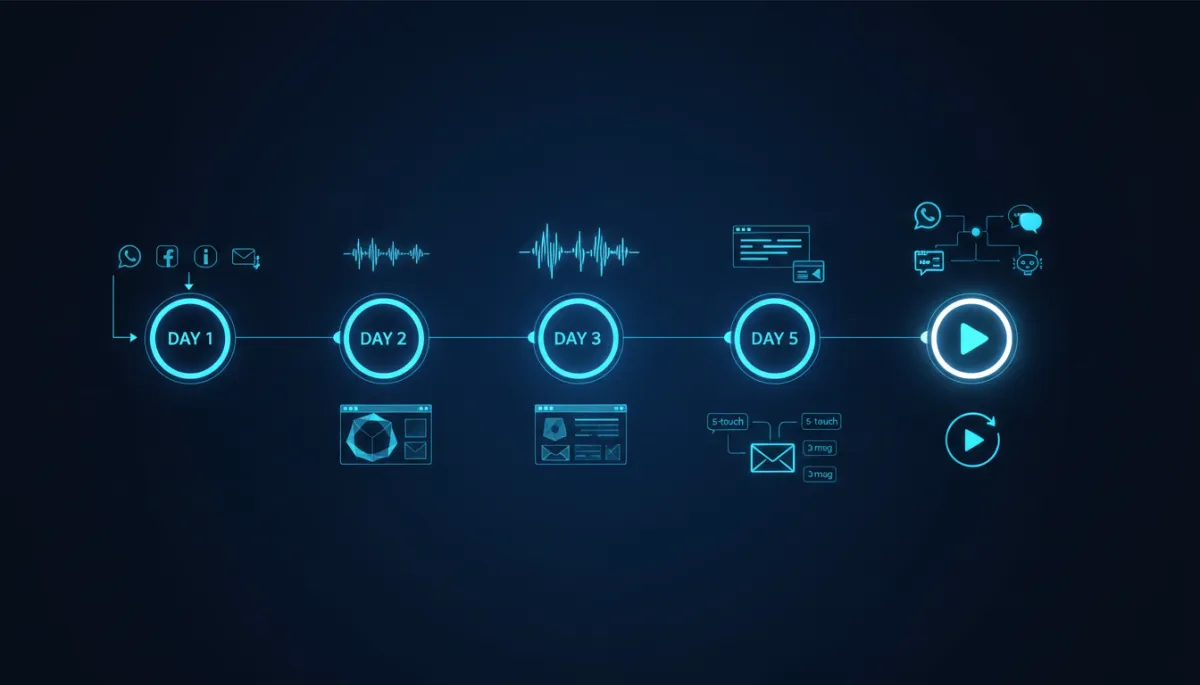
Build AI Lead System for SMEs in 5 Days
AI, Lead Generation, CRM Automation, SME Growth
How to Build an AI Lead Capture System for Your SME in 5 Days (No Tech Team Required)
You don’t need a developer, a data scientist, or a huge budget to build an AI-powered lead capture and follow-up engine. With the right tools and a clear 5-day plan, you can set up a system that replies to leads in under a minute, nurtures them automatically, and hands hot prospects to your sales team at exactly the right time.
Who This 5-Day Plan Is For
This guide is written for SME founders and owners in India, UAE, UK, US, and Australia who are busy, practical, and non-technical. If you’re running a services firm, coaching business, clinic, agency, or product company and you’re losing leads because nobody replies fast enough, this 5-day AI lead capture setup is for you.
We’ll walk you through exactly how to build an AI lead capture system that:
Captures leads from website forms, WhatsApp, Instagram, Facebook, email, and phone logs into one place.
Responds automatically within 60 seconds, 24/7, in a human, brand-aligned tone.
Nurtures leads with structured email and WhatsApp sequences so they don’t go cold.
Scores leads and alerts you when someone is ready to talk to a real human.
💡 Good news: You can complete this AI lead capture setup in about 2–3 focused hours per day over 5 days. No coding, no servers, just smart use of existing tools.
Day 1: Map Your Current Lead Flow
Before you plug in AI or automation, you need a clear picture of how leads currently find you and where they fall through the cracks. Day 1 is about observation, not technology. This is the foundation of any serious CRM automation setup guide.
Step 1: List Every Lead Source
Open a blank document or spreadsheet and create a simple table. In the first column, list every way a potential customer can currently contact you:
Website contact or enquiry form
WhatsApp (personal, business, or WhatsApp Business API if you already have it)
Instagram DMs and story replies
Facebook page messages and comments asking for details
Email enquiries (info@, sales@, or personal inboxes)
Phone calls and missed calls (including calls to team members’ mobiles)
For each source, note how many leads you roughly get per week and who currently handles them (you, a salesperson, a receptionist, or nobody).
Step 2: Time Your Current Response Speed
The fastest way to boost conversions is to reply faster. AI can help dramatically here, but first you need a baseline. For the next 24 hours, measure how long it actually takes for a typical new enquiry to receive a reply on each channel. Be honest and use real examples from today or yesterday.
Website form → First reply in 3 hours? 24 hours? Never?
WhatsApp → Usually immediate, or only when someone checks their phone?
Instagram/Facebook → Are DMs and comments being checked at all?
💡 Benchmarks: Responding within 5 minutes can increase conversion rates by up to 8x compared to waiting an hour or more. Your AI lead capture setup will aim for under 60 seconds.
Step 3: Map the Journey from Enquiry to Close
On a blank sheet, draw a simple flow from left to right: New Enquiry → First Response → Qualification → Call/Meeting → Proposal → Follow-up → Closed Won/Lost. Under each step, write what actually happens today. For example:
First response: “We reply manually when we see the email, usually next day.”
Qualification: “We ask a few questions on WhatsApp or a quick call.”
Follow-up: “We try to remember to call or email, but there’s no system.”
Step 4: Identify Your Top 3 Drop-Off Points
Now highlight where leads go missing. Typical drop-off points for SMEs across India, UAE, UK, US, and Australia are surprisingly similar:
No reply or very late reply to the first enquiry (especially weekends and evenings).
No structured follow-up if the prospect doesn’t book a call immediately.
No tracking of who opened proposals, visited the pricing page, or replied later.
These three drop-off points are exactly where your AI lead capture system will create the most impact in the next four days.
Day 2: Choose and Configure Your CRM Foundation
AI without a solid CRM is like hiring a brilliant salesperson and giving them no notepad, no calendar, and no phone. Day 2 is about selecting a CRM that can act as the central brain for all your leads and automations.
Step 1: Pick a CRM That Plays Well with Others
You don’t need an enterprise tool. You do need a CRM that supports:
API integrations or “app marketplace” connectors (for AI tools and WhatsApp lead automation).
Email sequences or campaigns, so you can run nurture flows directly or via an integrated email tool.
Pipeline or deal stages with drag-and-drop boards, so you can see where each lead is.
Many popular CRMs in your region will work. The specific brand is less important than its ability to integrate and automate. If you’re unsure, Nexurate Technologies can recommend region-specific options during a free system audit.
Step 2: Set Up Your Pipeline Stages
In your new or existing CRM, create a simple pipeline that matches the journey you mapped on Day 1. Use these stages as your default: New Enquiry → Contacted → Qualified → Call Booked → Proposal Sent → Closed Won/Lost.
New Enquiry: Every new lead from any channel lands here automatically.
Contacted: The AI or a human has replied at least once.
Qualified: The lead fits your basic criteria (need, budget, timeline).
Call Booked: A call, demo, or visit is scheduled on the calendar.
Proposal Sent: You’ve sent pricing or a proposal and are awaiting a decision.
Closed Won/Lost: The deal is either confirmed or declined.
💡 Keep it simple: Many founders overcomplicate pipelines. Start with these six stages; you can add more detail later once your automated lead follow-up for SMEs is working reliably.
Step 3: Import Existing Contacts
Export past leads from spreadsheets, email lists, or other CRMs and import them into your new system. Even if the data is messy, bring it in. Tag them as “Legacy Leads” or by source (e.g., “Website 2023”, “Expo Dubai 2024”) so you can segment later.
This one-time effort means your AI lead capture system has a complete view of your pipeline from Day 1, not just new enquiries.
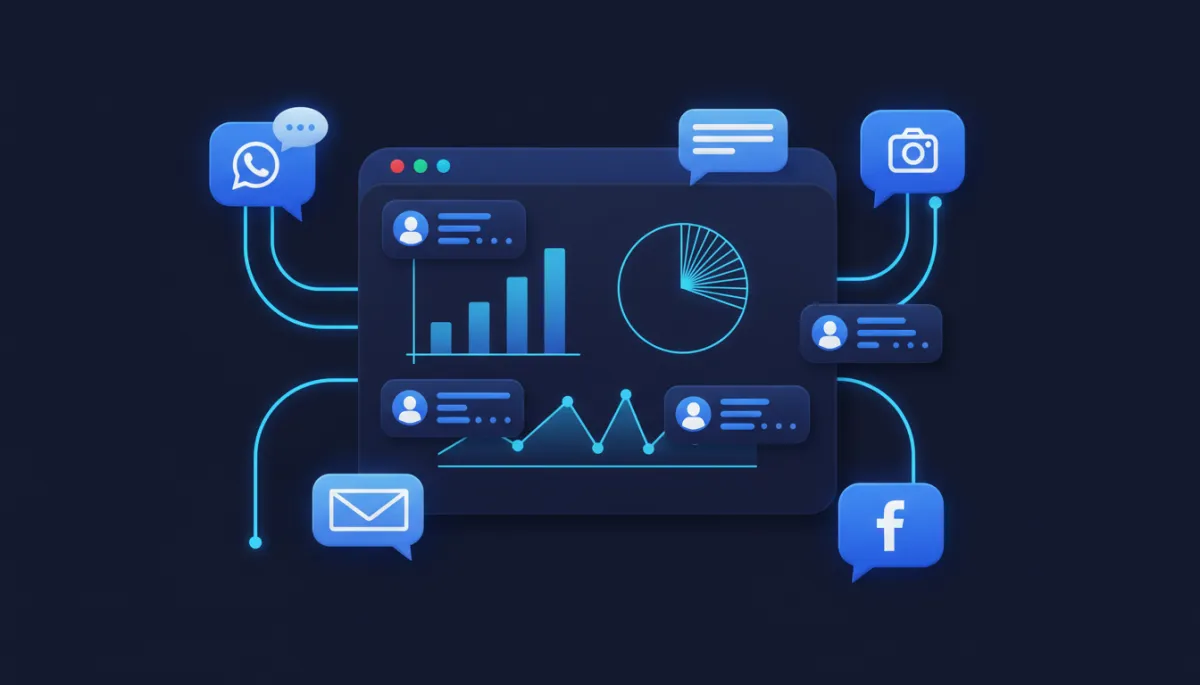
Centralising every enquiry in one CRM lets AI respond fast and track every touchpoint.
Day 3: Build Your AI Response Layer
With your CRM foundation in place, Day 3 is where your system starts to feel intelligent. The goal is simple: every new lead gets a helpful, personalised response within 60 seconds, regardless of whether they came from a web form, WhatsApp, Instagram, Facebook, or email.
Step 1: Set Up Web Form Auto-Response (Under 60 Seconds)
Connect your website form to your CRM (most CRMs provide an embed form or integrate with popular form tools). Then enable an automated email or WhatsApp reply that:
Greets the lead by first name.
Confirms you’ve received their enquiry and sets expectations on response time.
Offers one simple next step (e.g., “Reply with your preferred time for a quick 15-minute call.”).
Many AI tools can personalise this message based on what the lead filled in (industry, service of interest, location) without you writing complex rules. This is the first visible layer of your AI lead capture setup.
Step 2: Connect WhatsApp Business API and Social Channels
For SMEs in India, UAE, and many other markets, WhatsApp is the primary channel. For UK, US, and Australia, it’s rapidly growing. Either way, WhatsApp lead automation is a powerful advantage.
If you don’t have it yet, apply for WhatsApp Business API via a provider recommended by your CRM or automation tool. This gives you official, scalable access instead of relying on one person’s phone.
Connect your Instagram and Facebook pages using the same platform so DMs and messages are captured as leads, not lost in inboxes.
Once connected, configure a simple AI-powered greeting that triggers whenever someone messages for the first time. It should acknowledge their question and ask one or two clarifying questions to move them forward.
Step 3: Design Your AI Qualification Script (4–5 Smart Questions)
Your AI doesn’t need to close deals. It just needs to qualify and route them. Create a short branching script of 4–5 questions that covers:
Need: “What are you looking for help with right now?” (Offer 3–5 buttons or options if possible.)
Timeline: “When are you hoping to get this solved or started?” (This week, this month, later, just exploring.)
Budget: “Do you have a budget range in mind?” (Provide ranges that make sense for your market.)
Current situation: “How are you handling this today?” (DIY, internal team, another provider, not doing anything yet.)
Next step: “Would you like to book a quick call to explore options?” (If yes, send a booking link or ask for preferred time.)
Configure your AI tool so that each answer is stored in your CRM fields (Need, Timeline, Budget, etc.). This is where your how to build AI lead capture system project becomes truly valuable: every conversation becomes structured data for your sales team.
💡 Tone matters: Write your AI messages in the same friendly, clear tone you would use yourself. Avoid jargon. Test them by reading aloud; if it sounds robotic, simplify.
Day 4: Build Your Nurture Sequences
Most leads won’t buy on Day 1. That’s normal. Day 4 is about designing an automated lead follow-up for SMEs that keeps you top-of-mind without manual chasing. You’ll build two parallel nurture tracks: email and WhatsApp.
Step 1: Create a 5-Touch Email Nurture Sequence
In your CRM or email tool, set up a simple sequence that triggers when a new lead is created and not yet “Closed Won”. Use this structure:
Day 0 – Value: A welcome email that thanks them for enquiring and shares one genuinely useful resource (a checklist, a short guide, a video). No hard sell, just value and reassurance they’re in the right place.
Day 3 – Case Study: A short story of a client similar to them, with a clear before-and-after outcome. Include numbers where possible (e.g., “reduced onboarding time by 40%”).
Day 7 – Education: Answer a key question or misconception in your industry. Position yourself as a guide, not just a vendor.
Day 14 – Objection Handling: Tackle the most common reasons people hesitate (price, timing, internal approvals) with empathy and practical responses.
Day 30 – Soft CTA: A gentle reminder that you’re still available to help, with a clear but low-pressure call to action (e.g., “If now feels like the right time, here’s the link to book a 15-minute consult.”).
Keep each email short, scannable, and written as if you’re talking to one person. Your AI tools can help personalise subject lines and content based on the lead’s answers from Day 3, but the structure stays the same.
Step 2: Build a WhatsApp Follow-Up Sequence (3 Messages in 7 Days)
Next, configure a short WhatsApp sequence for leads who have opted in to messaging. Because WhatsApp is more personal, keep it lighter and more conversational:
Message 1 (Day 1): “Hi <Name>, thanks again for reaching out yesterday. If you’d like, I can share a quick 2-minute overview of how we typically help <their industry> with <their need>. Interested?”
Message 2 (Day 3–4): A short voice note or text summarising one key idea or tip, plus an offer to answer questions.
Message 3 (Day 7): A simple check-in: “Hi <Name>, just checking in. Are you still exploring options for <need>, or has this been sorted for now?”
Your AI can send and personalise these messages automatically, but always make it easy for a human to jump in and take over the conversation when the lead starts engaging seriously.
Step 3: Set Up Lead Scoring Rules
Lead scoring turns behaviour into a simple number your team can act on. Configure the following rules in your CRM or AI tool:
+10 points when they open an email.
+20 points when they click a link in an email or WhatsApp message.
+30 points when they reply to an email or WhatsApp message (even with a short “Thanks”).
+50 points when they visit your pricing page or proposal link (if your tools can track this).
+100 points when they book a call or meeting.
Decide a threshold that marks a “hot lead” (for example, 80 points). When a lead crosses that threshold, configure an alert to you or your salesperson to follow up personally. This bridges the gap between automation and human selling, which is the real goal of any CRM automation setup guide.
Day 5: Test Everything and Go Live
By Day 5, your AI lead capture system is assembled. Now you need to make sure it actually works in the real world and that your team knows how to use it. This is where you move from theory to live traffic.
Step 1: Run the Full Journey Yourself
Pretend you’re a new prospect. Using a personal email and phone number:
Fill in your website form and time how long it takes to receive the AI response.
Send a WhatsApp message, an Instagram DM, and a Facebook message with simple questions like “Hi, I’m interested in your services. Can you share details?”
Answer your own AI qualification questions and see whether the data appears correctly in your CRM.
If any part feels confusing or slow, adjust the wording or timing. This “walkthrough” is a critical part of how to build AI lead capture system processes that feel human and helpful, not robotic.
Step 2: Test Edge Cases
Edge cases are unusual situations that often break systems. Test at least these:
A lead who only replies with one-word answers (“yes”, “no”, “later”).
A lead who asks a question your AI hasn’t seen before (e.g., “Do you work with NGOs in Dubai?”).
A lead who goes silent after the first reply.
Check how your AI responds and where it escalates to a human. It’s perfectly fine for your AI to say, “That’s a great question. Let me connect you with a specialist from our team.” The key is that the handoff happens smoothly.
Step 3: Set Up a Daily 15-Minute Dashboard Review Habit
In your CRM, create a simple dashboard that shows:
Number of new enquiries in the last 24 hours and 7 days.
Average first response time (aim to keep this under 1–2 minutes with AI).
Number of leads in each pipeline stage (New Enquiry, Contacted, Qualified, etc.).
Block 15 minutes on your calendar every weekday to review this dashboard. This small habit keeps your AI lead capture system healthy and ensures you catch issues early.
Step 4: Brief Your Team on Human Handoff Triggers
Finally, gather your sales or customer-facing team (even if that’s just you and one other person) and explain:
Which actions trigger a human follow-up (e.g., lead score above 80, reply asking specific questions, booking a call).
Where to see AI conversations in the CRM so they can read the context before calling.
How to override the AI and take over a conversation when needed.
💡 Reassure your team: AI is not replacing them; it’s removing the boring parts—chasing, reminding, and basic questions—so they can focus on real conversations and closing deals.
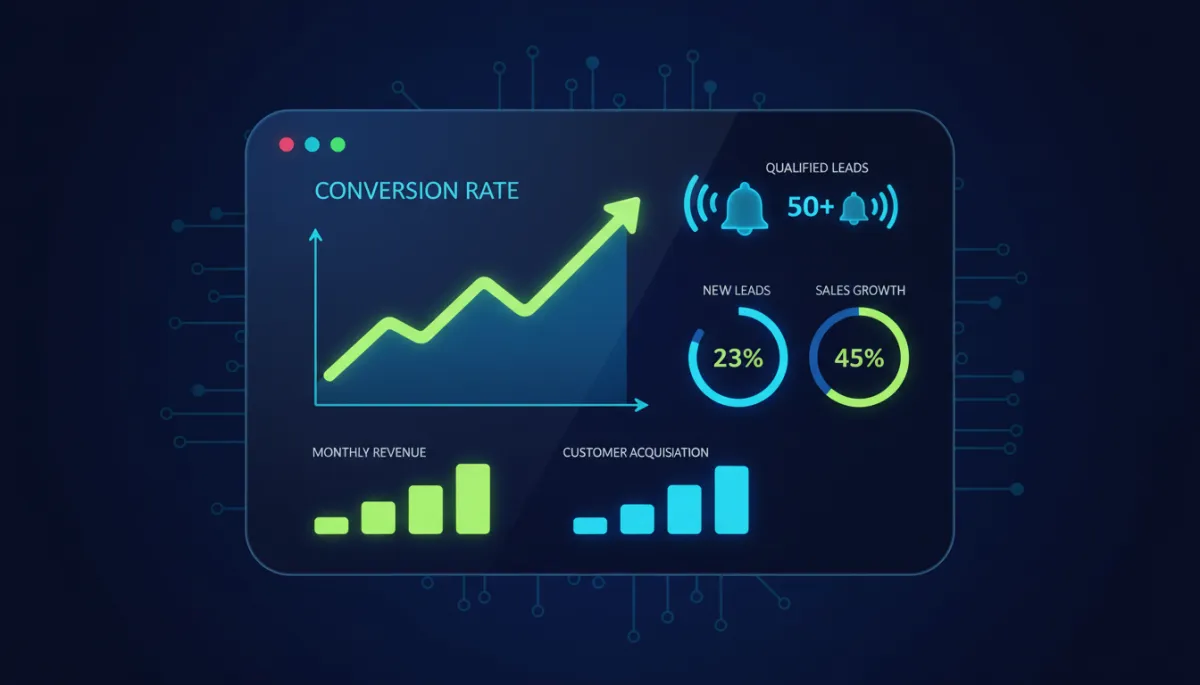
A simple daily dashboard turns your AI system into a predictable, measurable growth engine.
What Comes After Day 5: Your 30-Day Optimisation Window
In just 5 days, you’ve gone from scattered enquiries to a structured, AI-assisted lead machine. The next 30 days are about refinement. Think of this as “Version 1.0” of your AI lead capture setup. Now you’ll watch, learn, and improve.
Metrics to Watch in the First 30 Days
Focus on a few simple numbers that tell you whether your system is working:
Response time: Are all new enquiries getting a reply in under 60 seconds? If not, which channels are lagging?
Conversion from New Enquiry → Call Booked: Has this percentage improved compared to before you implemented the system?
Nurture engagement: What open and click rates are you seeing on your 5-touch email sequence and WhatsApp follow-ups?
Lead quality: Are the leads who reach “Qualified” and “Proposal Sent” genuinely a good fit, or do you need to tweak your AI qualification questions?
Small Tweaks, Big Impact
You don’t need to redesign the whole system. Instead, make small, focused improvements every week:
Adjust one AI question if you notice prospects often get stuck or confused at that point.
Test a new subject line on your Day 0 or Day 3 emails to boost opens and clicks.
Refine your lead scoring thresholds based on real behaviour (for example, maybe 70 points is already “hot” in your market).
Over 30 days, these small adjustments compound. Many SMEs see a noticeable increase in qualified calls and proposals without increasing their ad spend—simply by capturing and nurturing more of the leads they’re already getting.
When to Bring in Expert Help
You’ve now proven that you can build and run an AI lead capture system without a full-time tech team. As you grow, you might want to:
Add more complex branching logic for different products, regions, or languages.
Integrate billing, contracts, or onboarding workflows into the same system.
Build dashboards for investors or leadership teams across India, UAE, UK, US, and Australia.
That’s where a specialist partner like Nexurate Technologies can help you move from Version 1.0 to a robust, scalable revenue engine—without you needing to become a full-time systems architect.
Ready to See What Your System Could Really Do?
You now have a clear, practical roadmap for how to build AI lead capture system capabilities in just 5 days, even if you’re non-technical and running a lean SME. You’ve seen how to:
Map your current lead flow and fix the biggest drop-off points.
Choose and configure a CRM that becomes the central hub of your growth.
Build an AI response layer that answers leads within 60 seconds across web, WhatsApp, Instagram, Facebook, and email.
Design email and WhatsApp nurture sequences plus lead scoring to prioritise hot opportunities.
Test, launch, and continuously improve your system over a focused 30-day window.
If you’d like expert eyes on your current setup—or you’d rather have specialists configure everything while you focus on running the business—Nexurate Technologies can help you accelerate this journey.
CTA: Book a free system audit call with Nexurate Technologies to review your existing lead flow, identify quick wins, and get a tailored AI lead capture blueprint for your SME.
